

In this article
iPhone Goes Big with iOS 18 Beta 2: Top
Features & How to Download Now
Apple rolls out iOS 18 Beta 2 now for Developers only
 |
|
Remember that big AI push Apple announced at WWDC24? Well,
it’s taking shape with iOS 18 Beta 2! Apple’s commitment to advancing its
mobile operating system is evident in the recent release of iOS 18 Beta 2. This update builds on the first beta, bringing
some seriously cool features for iPhone users who like to stay ahead of the
curve.
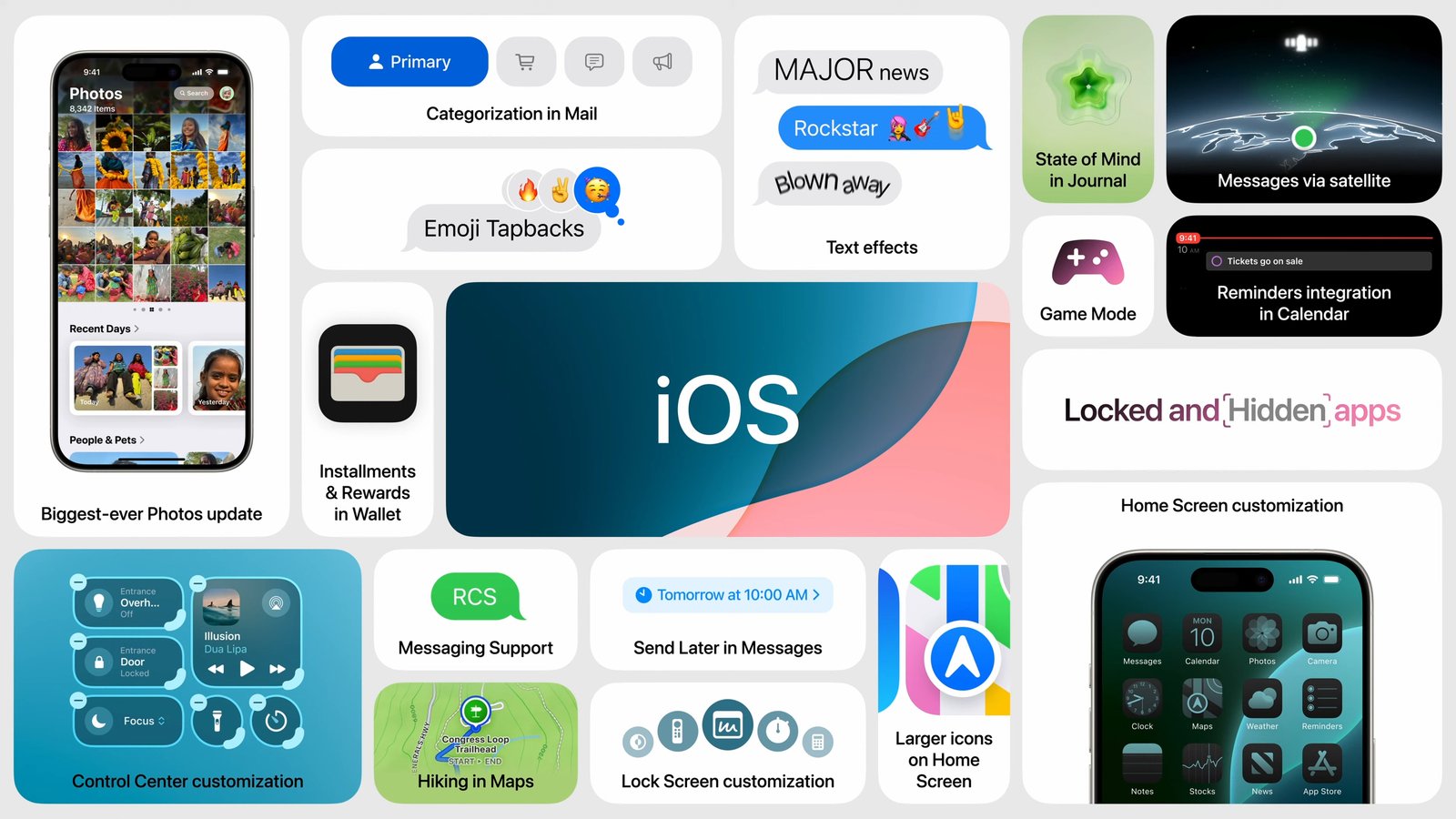
Key Features in iOS 18 Beta 2
- Effortless
Screen Mirroring: iOS 18 Beta 2 introduces a groundbreaking feature – iPhone
Mirroring. Users can now seamlessly project their iPhone display onto a Mac
running macOS Sequoia. This functionality empowers users to leverage the
comfort of a larger screen for tasks like photo editing, gaming, or enhanced
productivity through effortless application manipulation. - Streamlined
Collaboration: The screen sharing feature receives a significant upgrade in Beta
2. While specifics remain undisclosed, Apple has indicated optimizations for
smoother connections and an overall more efficient collaborative experience.
This enhancement is likely to benefit remote teams and individuals who
frequently rely on screen sharing for presentations or joint projects. - Prioritizing
Stability: Recognizing the inherent challenges of beta software, Apple has
addressed several stability-related concerns identified in the initial Beta
release. This proactive approach ensures a more reliable user experience for
developers testing the pre-release software.
How to Download iOS 18 Beta 2 for Developers
 |
|
- Developer
Program Enrollment: Developers must first join the Apple Developer Program by signing
up with their Apple ID and agreeing to the program terms. - Settings
Navigation: On the designated iPhone, navigate to the Settings application. - Software
Update Access: Locate the “General” menu and proceed to “Software
Update.” Within this section, select “Beta Updates.” - Identifying
the Beta: Search for the “iOS 18 Developer Beta” option and tap
to initiate the download process. - Refreshing
and Downloading: Allow the device a moment to refresh the software list. Once the
update appears, select “Download and Install.” - Power
Source Connection: For a smooth installation process, ensure the iPhone remains
connected to a power source throughout the download and installation.
Experts Recommendations
- Data
Backup Imperative: Prior to installing any beta software, it is crucial to create a
recent backup of your iPhone data. This safeguards your information in case of
unforeseen complications during the update process. - Beta
Software and Bugs: Always remember that beta software is not yet in its final form. Occasional
app crashes or unexpected glitches are possibilities. - The
Value of Feedback: If you encounter any issues while utilizing iOS 18 Beta 2,
reporting them to Apple is crucial. Your valuable feedback assists in refining
the software and ensuring a polished final release of iOS 18.
The unveiling of iOS 18 Beta 2 signifies Apple’s dedication to
continuous innovation and user experience optimization. This iteration offers a
glimpse into the future of iPhone functionalities, fostering seamless
collaboration and enhanced productivity. While the pre-release nature
necessitates caution, adventurous users eager to explore the cutting edge will
find iOS 18 Beta 2 a compelling proposition. Just remember to prioritize data
backup before embarking on this exciting exploration.