

In this article
WhatsApp chat backups will soon start eating up your Google
Drive storage on Android
Android Users will need to pay for WhatsApp backup storage
 |
| Image: TechBird |
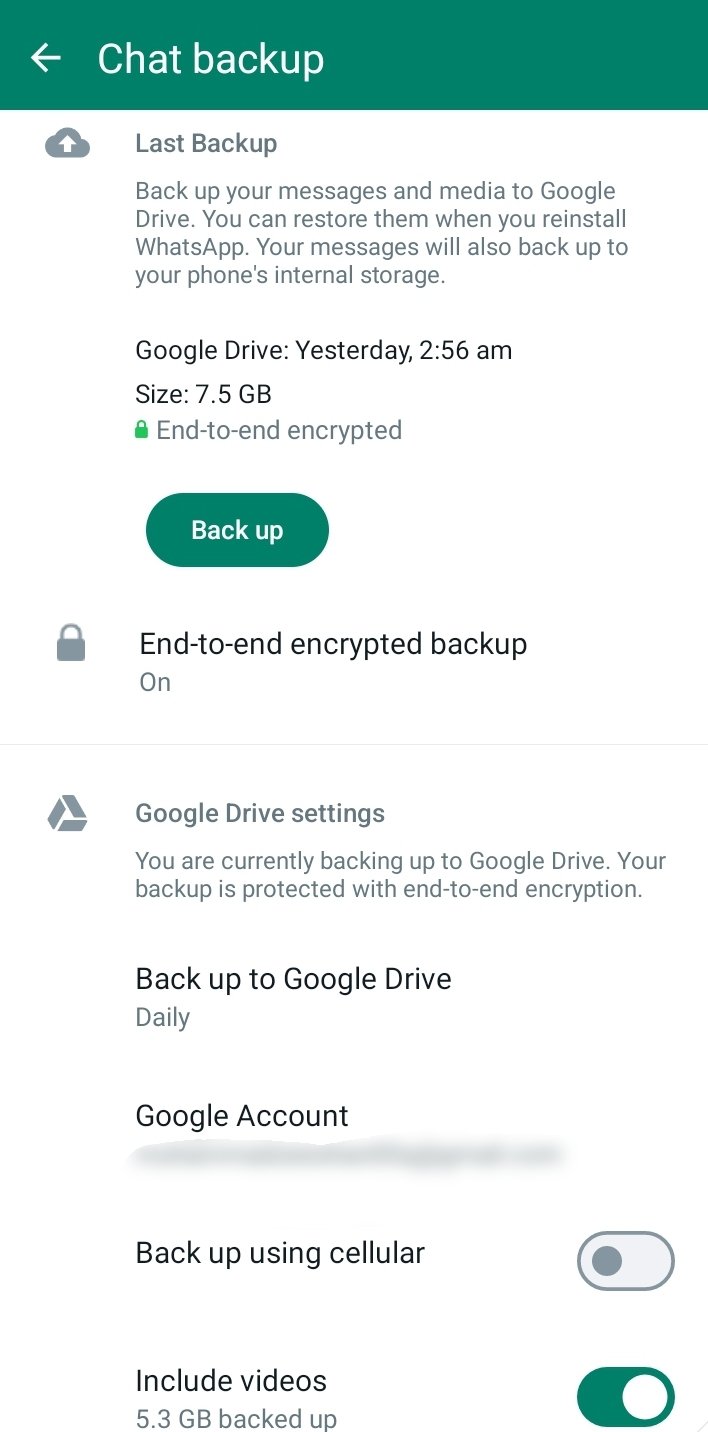
Android User’s chat backup now will start counting in the Google Drive account storage. As for now, only iOS users’ chat backup is counted on iCloud storage. If
the limit exceeds, you will need to buy more cloud storage or remove other
large media files.
WhatsApp and Google announced that Beta users from December 一 will first experience this
update. For me, I have some time to enjoy free chat backup storage as this update gradually
rolls out for general WhatsApp users later in early 2024. You will need to free
up storage if your limit exceeds, your backup will remain paused until you will
not free up your storage.
“WhatsApp backups on Android will soon start counting toward your Google Account cloud storage limit, similar to how WhatsApp backups are
handled on other mobile platforms”, as mentioned by Google support.
The messaging company will notify the general public 30 days
before the official release under the banner of Settings> Chats >Chat
backup. Recommended, You can also make your backup secure by turning on
end-to-end backup.
Read:
- WhatsApp introduced a new way to voice chat with large groups.
- WhatsApp Introduces Multiple Accounts Switching on Android
If
you delete items from WhatsApp, it will automatically delete them from Google
Drive to clear space for more storage for new backups. This will be a direct
reference for Google One subscription, for those who want to get more storage. “To help you with the transition, we will soon provide
eligible users limited, one-time Google One promotions”, added by Google.
As Google Drive gives you a 15 GB storage quota, so you’ll
need to have a good eye on the storage limit, before it goes towards backup
paused. If you are moving from an old phone to a new one you will also use the
WhatsApp Chat Transfer option 一 also for those who don’t want to use backup chats.