

iOS
18 Update Released: All the New Features You Need to Know!
 |
|
In this article
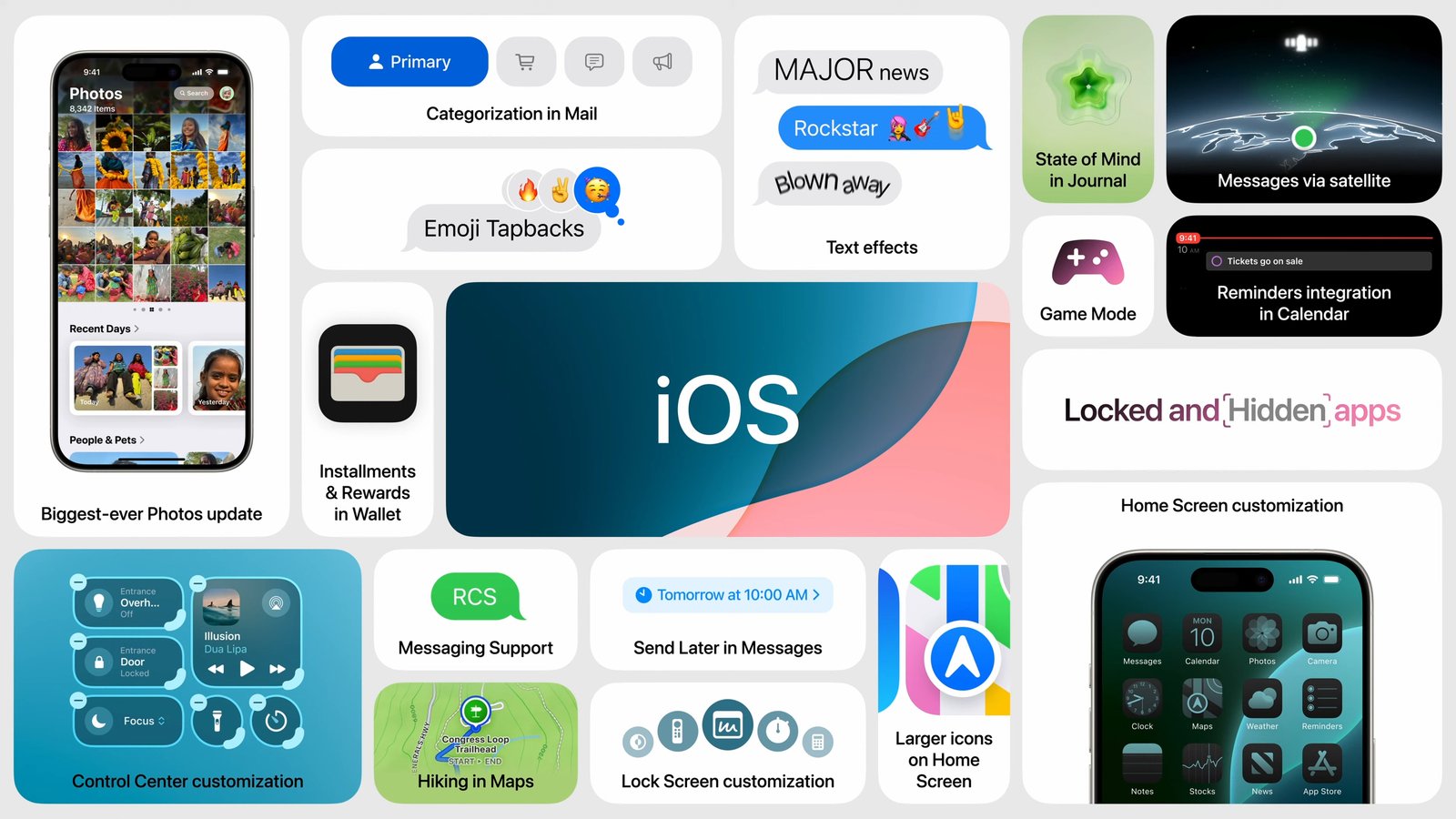
Get ready to be wowed, iPhone users!
Apple’s annual WWDC keynote unveiled iOS 18, a revolutionary update packed with
features designed to make your life easier, more organized, and way more fun.
Let’s dive into some of the coolest highlights:
Make Your Phone Your Own一 New Era of Customization
 |
|
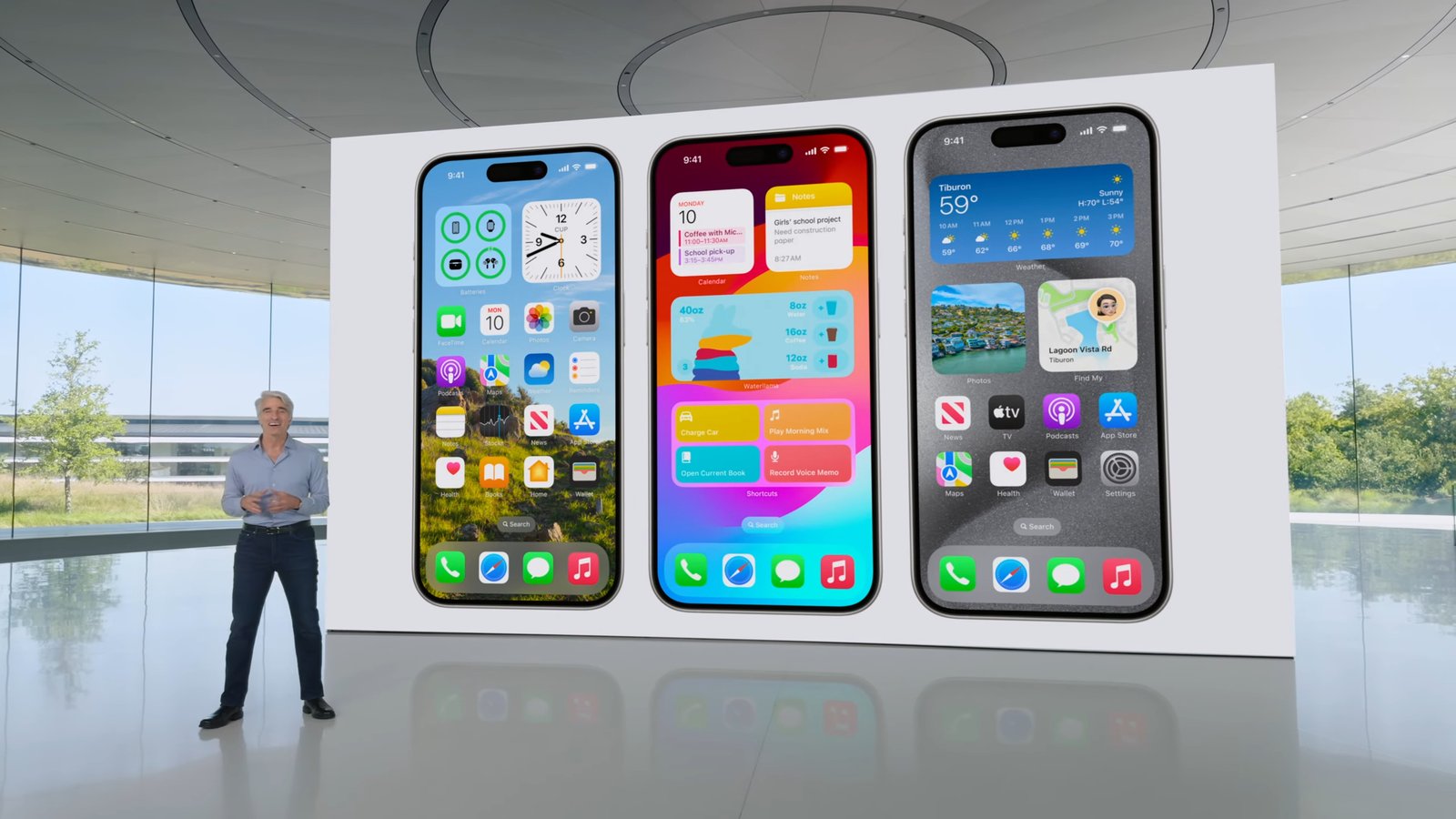
- Control Center Revamp: Tired of the same old Control Center? Swipe down for a
fresh layout and add controls from your favorite apps for a personalized
experience. - Home Screen Shuffle Unleash your inner designer! Rearrange apps and widgets on your Home Screen to
create a layout that perfectly matches your workflow. - App Makeover:
Say hello to sleek new app icons and widgets with a dark mode option. You
can even customize their color to match your wallpaper! Plus, adjust their
size for better visibility. - Locked and Hidden Apps: Added security? iOS 18 lets you lock and hide
sensitive apps, keeping your data safe from prying eyes.
Messaging Gets a Major Upgrade:
 |
|
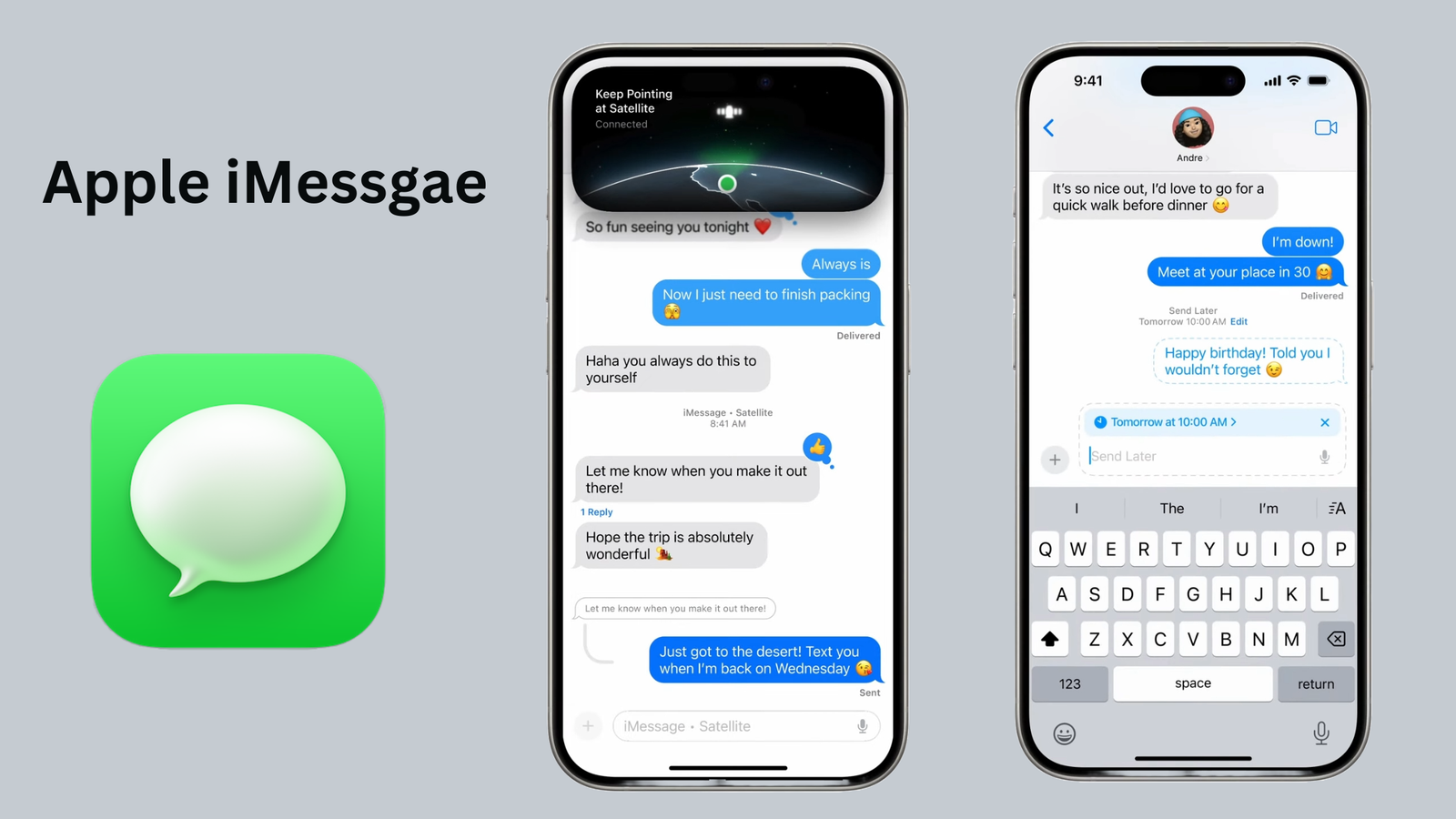
- SOS from the Wild : Lost signal in the backcountry? No worries! iOS 18
might be a lifesaver with emergency messaging via satellite. - Schedule Those Texts:
Avoid late-night text blunders! Schedule messages to be sent at specific
times, ensuring they arrive when you actually mean them to. - RCS to the Rescue:
Tired of green bubbles? RCS messaging brings richer features like improved
media sharing and read receipts, even when chatting with non-iPhone users. - Text with Flair:
Liven up your messages with playful, animated text effects that add a fun
touch to your conversations.
Security and Convenience Combined:
Introducing the Passwords App & Hide an App:
 |
|
- Storage: It stores all your passwords, logins (usernames and emails likely), and security alerts in one encrypted location. This eliminates the need to remember multiple passwords or write them down on insecure places.
- Accessibility: You can access this vault from any of your Apple devices (iPhone, iPad, Mac) where you’re signed in with the same Apple ID. This makes it convenient to log in to websites and apps across your devices without needing to re-enter credentials.
- Security Alerts: The app can potentially warn you about security breaches or weak passwords associated with your saved logins. This helps you identify and address any potential security risks.
Hide an App: Discretion for Your
Apps
 |
|
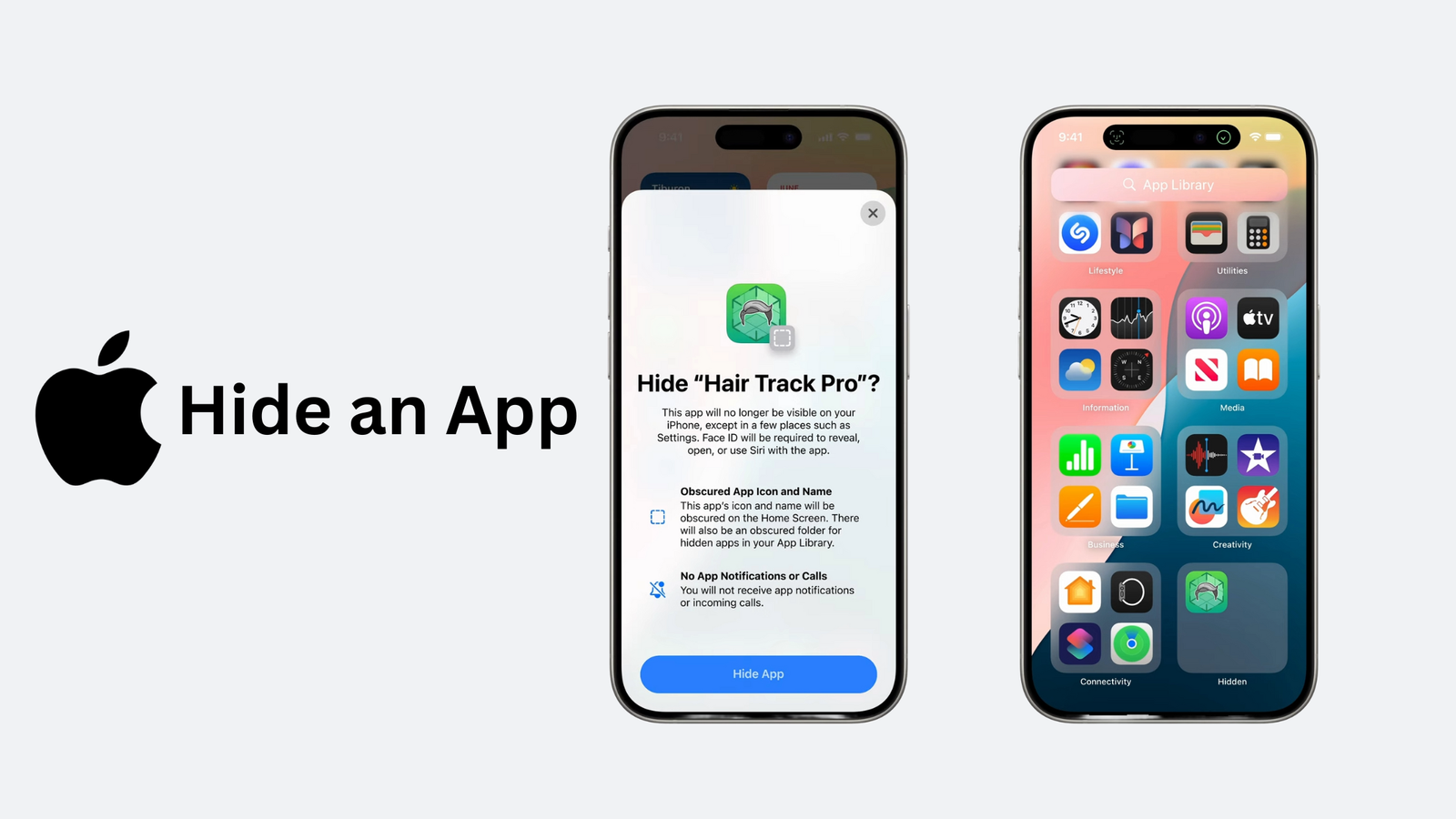
While the Passwords app focuses on
login credentials, you might also want to add an extra layer of privacy to your
device by hiding apps containing sensitive information or those you simply want
to keep out of sight. Here’s where the built-in “Hide App” feature in
iOS 18 comes in:
- Privacy Control: Hide specific apps
from your app list, offering discretion for apps containing sensitive
information or those you prefer to keep out of sight. - Streamlined Interface: A
clutter-free app screen with hidden apps can improve the overall user
experience and make it easier to find the apps you use most often
Gamers, Get Ready to Level Up一Gaming Mode:
 |
|
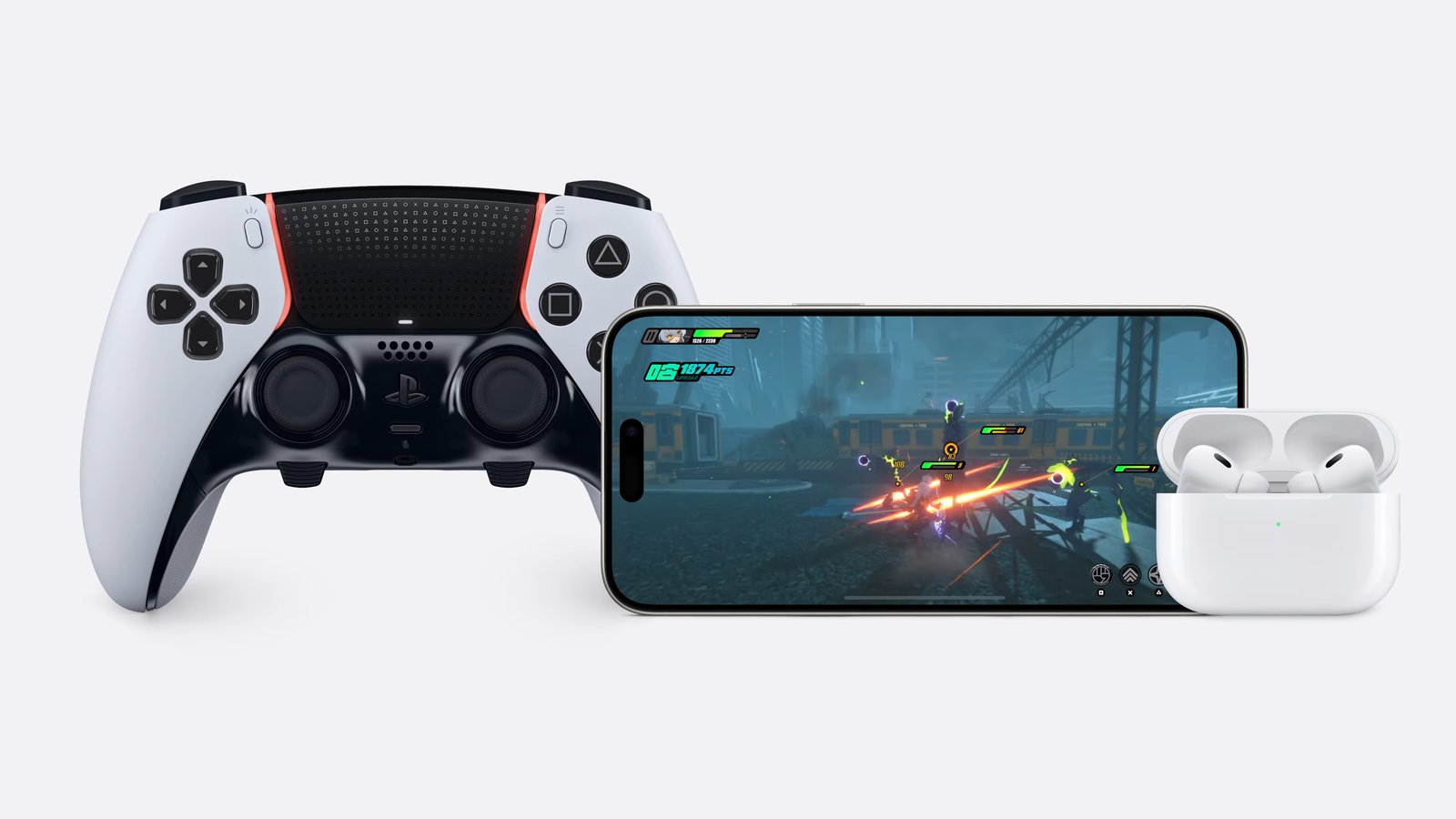
- Game Mode for Smoother Gameplay: Experience uninterrupted gaming sessions with Game
Mode! It minimizes background activity for consistently high frame rates,
keeping you immersed in the action. - More Responsive Controls with AirPods and Controllers: Game Mode takes things a step further by reducing
audio latency with AirPods and making wireless controllers incredibly
responsive, creating a truly immersive experience.
Entertainment Amplified:
- Spatial Audio for All: Immerse yourself in captivating 3D sound, even without AirPods Pro or Max. iOS 18 brings Spatial Audio support to your iPhone speakers, transforming movies, music, and games into a truly cinematic experience.
- Joypad Bliss: Gamers rejoice! iOS 18 offers enhanced compatibility with various game controllers, allowing you to experience your favorite mobile games with the precision and comfort of a traditional controller.
Introducing Tap to Cash: Pay with a
Simple Tap!
 |
|
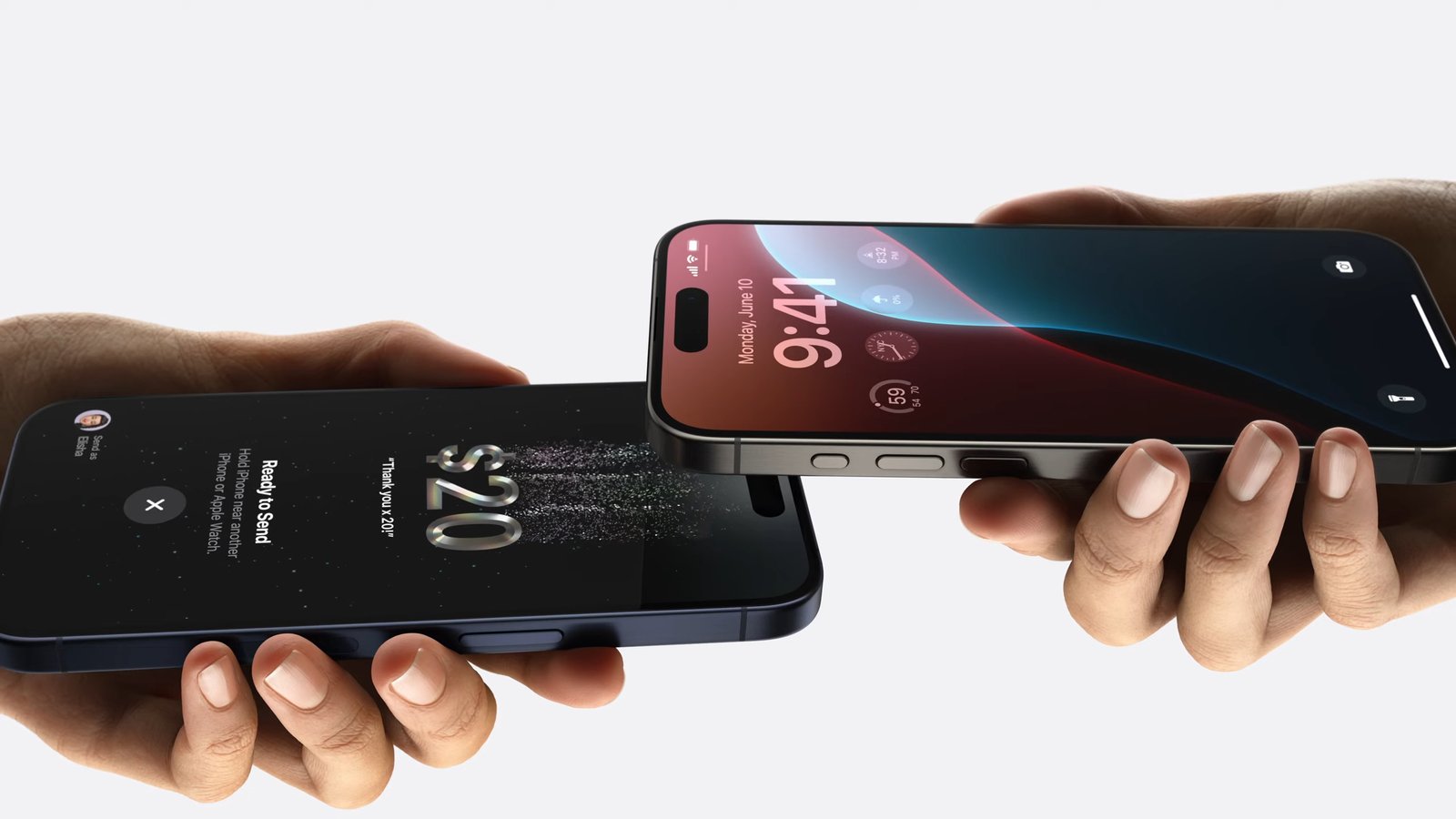
Forget fumbling for cash or
exchanging numbers. With Tap to Cash, simply tap two iPhones together to
securely transfer money privately through Apple Cash.
Apple Pay Gets More Flexible:
- Rewards and Installments: Apple Pay now lets you redeem rewards points or choose
installment plans for larger purchases, all within the app. - Event Tickets with a Twist: Redesigned event tickets offer helpful event guides
with venue information and recommendations from Apple apps, making your
event experience even smoother.
AirPods with Head Gesture Control
for Siri:
 |
|
- You can
now control Siri on your AirPods Pro without using your voice. - Simply nod
your head up and down to say “yes” or shake your head left and right
to say “no” to Siri. - This
allows for a more hands-free and intuitive way to interact with your AirPods,
especially in situations where speaking might not be convenient.
Journal App for Improved
Wellbeing:
 |
|
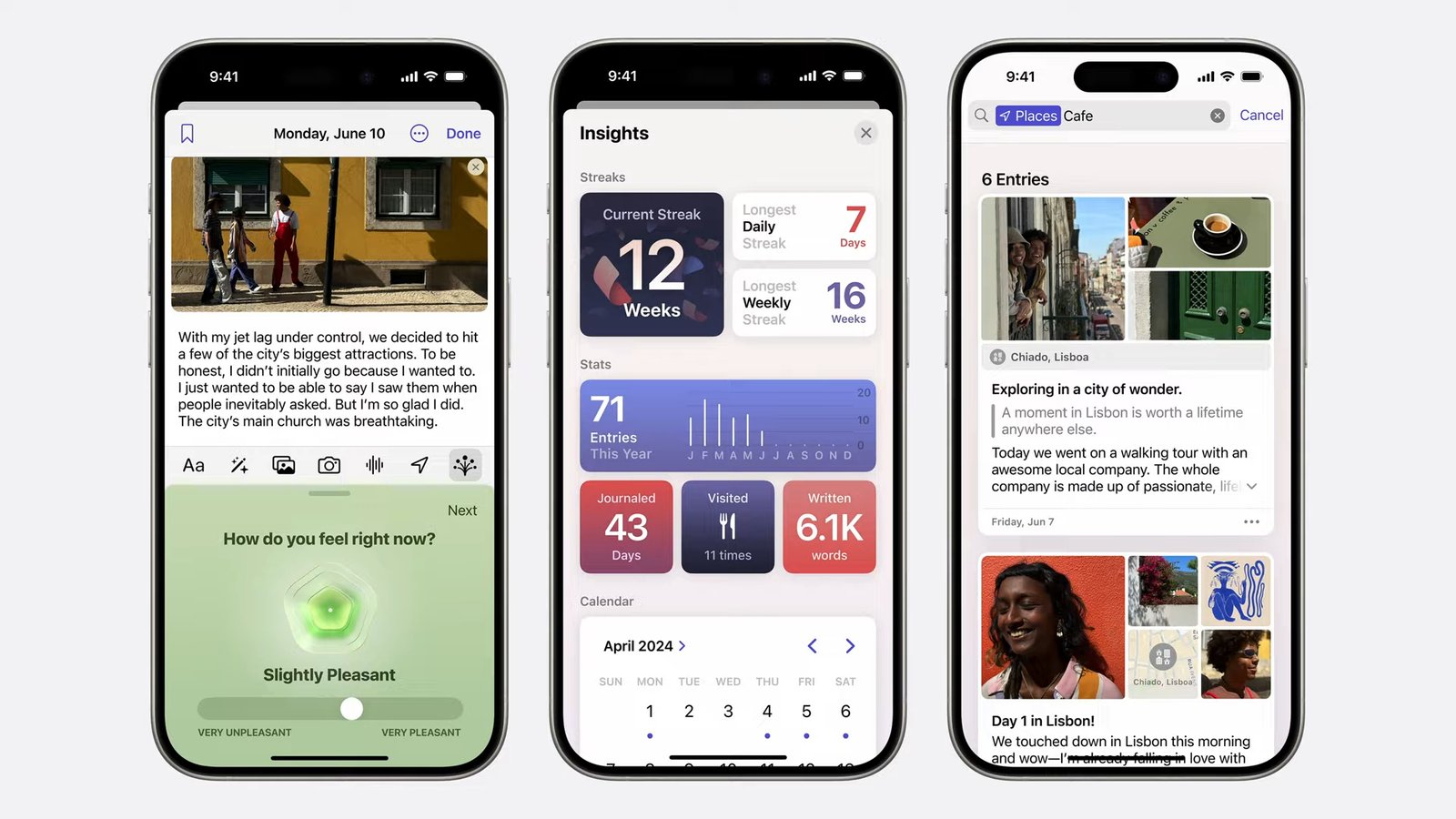
- This
introduces a new app called “Journal” designed to help with
mindfulness and self-reflection. - The app
allows you to write down your thoughts and feelings, similar to a traditional
diary. - It also
offers features to track your journaling progress, such as: - Keeping
track of writing streaks (number of days in a row you’ve journaled) - Viewing a calendar of
all your entries.
Apple TV App: Dive Deeper with
InSight:
 |
|
Get the most out of Apple TV+. The
new InSight feature provides real-time information about actors and music as
you watch Apple Original content. InSight also works when using your iPhone as
a remote control for Apple TV 4K, perfect for group viewing.
Apple Map: Topographic Maps and
Trail Networks
 |
|
Calling all hikers, bikers, and
adventurers! iOS 18 integrates topographic maps directly within the Apple Maps
app. Visualize the terrain in stunning detail with elevation changes, contour
lines, and clear trail networks. This fantastic feature empowers you to:
- Plan Your Route:
Explore trails before you set off, identify challenging sections, and plan
your route accordingly. - Navigate with Confidence: Even without a signal, you can use downloaded maps for
offline navigation, keeping you on track during your adventure. - Topographic
Maps: Instead, you can explore
stunning topographic maps directly on your phone. These beauties showcase
the terrain in incredible detail, showing you elevation changes, those
squiggly contour lines that map experts love, and all the twists and turns
of the trail. Now that’s peace of mind! - Stay Safe and Informed: Gain a clear understanding of the terrain you’ll be
exploring, making informed decisions and prioritizing safety.
Photos App: A Feast for Your Eyes:
 |
|
The Photos app gets a majorredesign, making it easier than ever to organize and enjoy your ever-growing
photo library.
- Effortless Organization with Collections: Say goodbye to tedious manual sorting! iOS 18
automatically groups your photos into “Collections” based on
themes like “Recent Days” or “Trips,” making it a
breeze to find specific memories. - Pinned Collections for Easy Access: Frequently used collections can be “Pinned”
for instant access at the top of your library, saving you time searching
through folders. - Introducing the Carousel: Your Daily Dose of Memories: Swipe right from the photo grid to access the
Carousel, a stunning feature that showcases your best photos in a
beautiful format, refreshed daily with a new selection.
iOS 18一Compatible Devices
iPhones:
- iPhone 15
- iPhone 15 Plus
- iPhone 15 Pro
- iPhone 15 Pro Max
- iPhone 14
- iPhone 14 Plus
- iPhone 14 Pro
- iPhone 14 Pro Max
- iPhone 13
- iPhone 13 mini
- iPhone 13 Pro
- iPhone 13 Pro Max
- iPhone 12
- iPhone 12 mini
- iPhone 12 Pro
- iPhone 12 Pro Max
- iPhone 11
- iPhone 11 Pro
- iPhone 11 Pro Max
- iPhone XS
- iPhone XS Max
- iPhone XR
- iPhone SE
- (2nd generation or later)
Availability
iPhone users eager to experience the revolutionary features of iOS 18 won’t have to wait much longer. Apple typically unveils new iOS versions in September, and based on this trend, we expect iOS 18 to be available in Fall 2024.
Want to be among the first to try it out? Keep an eye out for announcements about the public beta program in July 2024. This lets you install a pre-release version of iOS 18, but remember that beta software can be buggy, so it’s best for testing purposes on a non-essential device.