How to Get Samsung Internet Beta on Your Windows 11 PC
The Samsung Internet beta just landed on desktop, and it brought AI and sync with it.
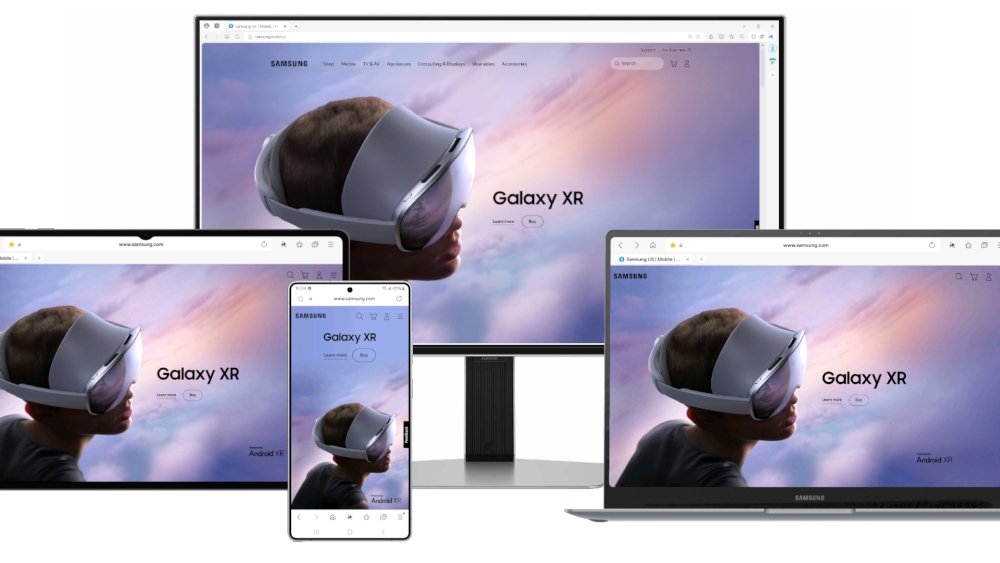 |
| Samsung Internet Beta syncs on Windows 11 PC, laptop, and mobile. Image: Samsung | Licensed by: Kinghacks365 |
Is a new contender emerging in the desktop browser world? It certainly seems so. For years, the Samsung Internet browser has long been a powerful and feature-rich staple exclusively for Galaxy phones and tablets. Now, Samsung is making a major move by bringing its popular mobile browser directly to our desktops.
Although we caught a brief glimpse of Samsung Internet in the Microsoft Store in 2023, it later flew away. Starting October 30, 2025, Samsung has officially launched a beta version of Samsung Internet for PC on Windows 10 and Windows 11. This isn’t just a port; it’s a full-fledged desktop experience designed to bridge the gap between your phone and your PC.
We’ve seen browsers come and go. The only ones that stick are those that solve a real problem. Samsung’s new offering aims to do just that by tackling ecosystem-syncing and integrating next-generation AI.
Here’s what you need to know and how you can get your hands on it.
What Makes the Samsung Internet PC Beta Special?
This isn’t just another Chromium browser. Samsung’s goal is to create a seamless, unified experience for its users. If you own a Samsung phone, this browser is designed specifically for you. The desktop version brings over the best features from its mobile counterpart, with a heavy emphasis on connectivity and artificial intelligence.
Key Features to Watch
- Seamless Cross-Device Sync: This is the main event. By signing into your Samsung account, you can sync your browsing history, bookmarks, and saved passwords via Samsung Pass. You can finally pick up exactly where you left off, moving from your phone to your Windows 11 PC without a hitch.
- Galaxy AI “Browsing Assist”: Of course, AI is also a key part of the browser. The browser comes integrated with Samsung’s powerful Galaxy AI. This “Browsing Assist” feature can instantly summarize long articles (a huge time-saver) and translate webpages on the fly. This puts it in direct competition with the new wave of AI-powered browsers.
- Smart Anti-Tracking & Privacy: Samsung is bringing its mobile-first privacy features to the desktop. The browser includes “Smart Anti-Tracking” to block third-party web trackers and a “Privacy Dashboard” that gives you a clear view of how you’re being protected.
How to Download and Install Samsung Internet Beta on Windows 11
Ready to try it? The process is straightforward, but there is one major catch.
Important: As of its launch, the Samsung Internet for PC beta is only available to users in the United States and South Korea. You must have a Samsung Account to participate.
If you meet those requirements, here are the official steps:
- Open your current web browser on your Windows 10 or Windows 11 PC and navigate to the official Samsung Internet beta page.
- You will need to sign in with your Samsung Account. This is the same account you use on your Galaxy phone or tablet.
- Follow the on-screen prompts to enroll in the beta program. This will give you access to the download.
- Download the installer file from the portal and run it. The installation process is simple and will have the browser set up in a few moments.
- Once installed, launch the browser and sign in with your Samsung Account one more time to begin syncing your history, bookmarks, and passwords.
What If I’m Not in the US or South Korea?
For now, users in other regions will have to wait. Samsung has stated that it plans for a broader expansion “with plans for broader expansion to follow” after the initial beta testing phase.
While you may see unofficial installers on third-party websites, I strongly advise against downloading them. From a security and expertise standpoint, it’s always best to wait for the official, secure release from the manufacturer.
The Expert Take: Is This a Real Chrome Competitor?
This is the billion-dollar question.
- For Samsung Galaxy users: Absolutely. This browser fills a massive gap in the Samsung ecosystem, one that users have been asking about for years. The ability to seamlessly sync data and use integrated AI features makes it an incredibly compelling alternative to Chrome or Edge.
- For everyone else: It’s a tougher sell. Its primary unique selling proposition (USP) is its deep integration with the Samsung ecosystem. Without a Galaxy phone, it’s just another good browser in a sea of great ones.
However, its launch signals a clear trend: the “browser wars” are no longer just about speed. They’re about AI, privacy, and how well your desktop works with the supercomputer in your pocket. Samsung has just fired a major shot, and it’s exciting to see how competitors will respond.
Share your thoughts on this new addition to the browser world in the comments below. Do you consider Samsung Internet a valuable addition or just another browser among many?